 AgentEd
- Free
- Open source
- Local files
Your visual Markdown editor with frontmatter and token estimates
Write, edit, keep
Write notes, project briefs, AI instructions, and knowledge files. Edit visually. Keep your files in your own folders.
This release is not digitally signed yet, so Windows and macOS may show a warning the first time. Installation help
v1.0.0 · Windows (x64) · macOS (Apple Silicon), installer under 5 MB
Experimental Linux build, tested on Ubuntu 24.04 LTS (x64)
All releases on GitHub
Simple today and tomorrow, ready for what’s next
Each release introduces useful features while keeping the editor simple and easy to use. Our aim is a Markdown editor that grows with the way people work with AI.

Why Markdown?
Markdown, without memorising the syntax
Markdown is a plain-text format for headings, lists, links, and more. You may have encountered it while working with AI assistants or other apps.
AgentEd lets you edit these files visually. Format headings, lists, images, and tables with visual controls, then save ordinary Markdown in your own folders. No account required.
<5 MB
Installer size
0
Accounts needed
MIT
Open-source license
Features
The tools behind your words
Visual controls for everyday Markdown work
Headings & lists
Structure your document with visual controls instead of typed symbols
Checklists
Bring tasks, practical notes, and progress together in one file
Images & tables
Combine text, images, and tables in a clear visual guide
Code blocks
Turn useful explanations and code snippets into documents you can revisit
Frontmatter
Edit YAML frontmatter visually, without breaking the syntax
Token estimate
See roughly how many tokens a file will use before you give it to your AI
Examples
Real documents, edited visually
-
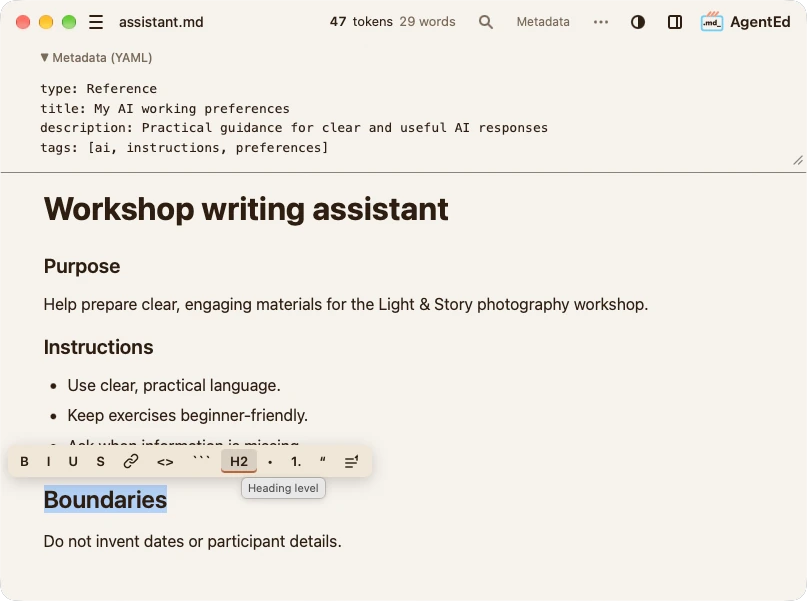
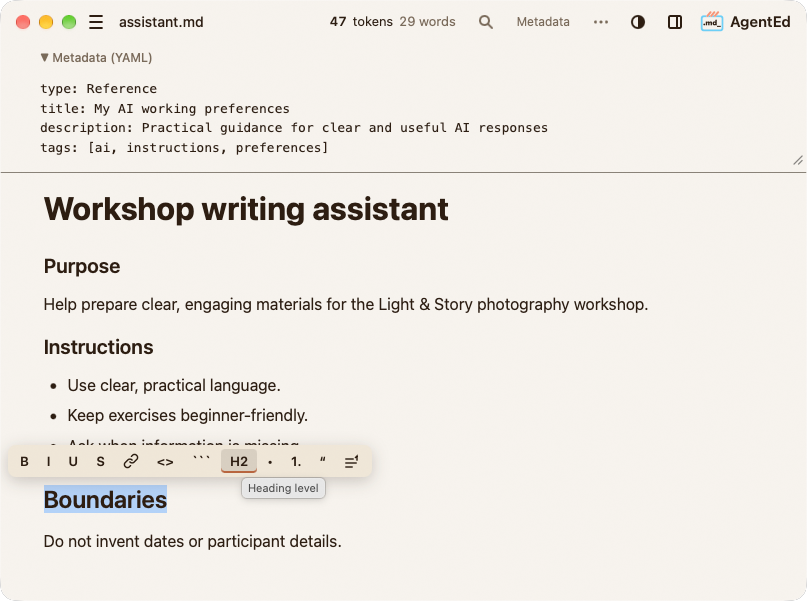
AI instructions
Give your AI clearer instructions
Keep goals, preferences, and boundaries in a reusable Markdown file
-
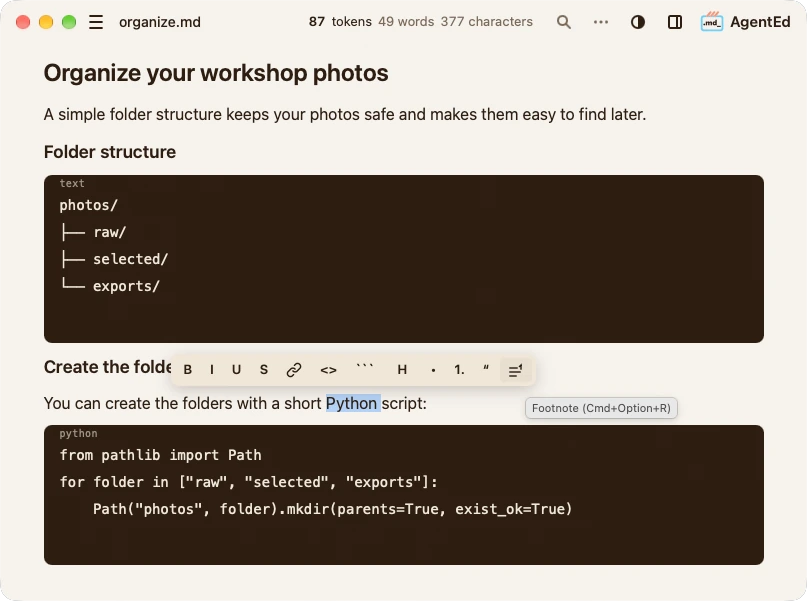
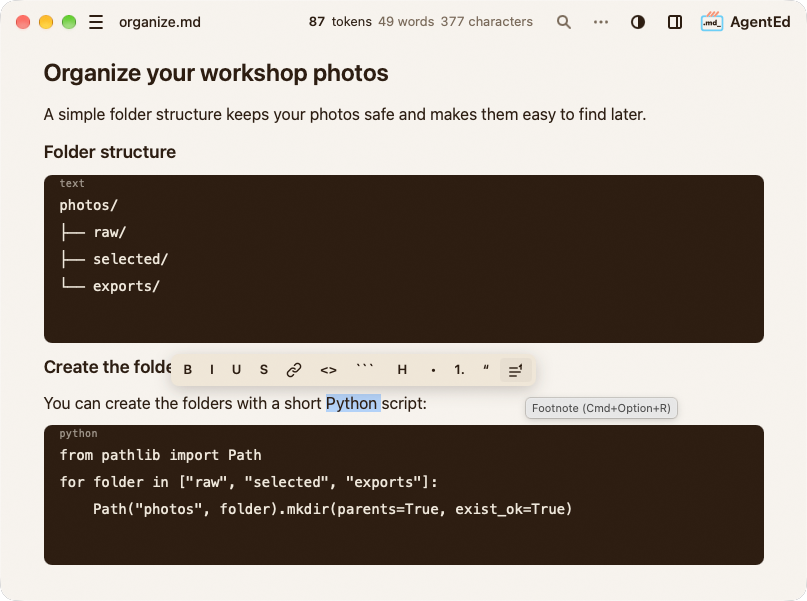
Answers & code
Keep useful answers organised
A guide to organising workshop photos, with a folder structure and a Python script you can reuse
-
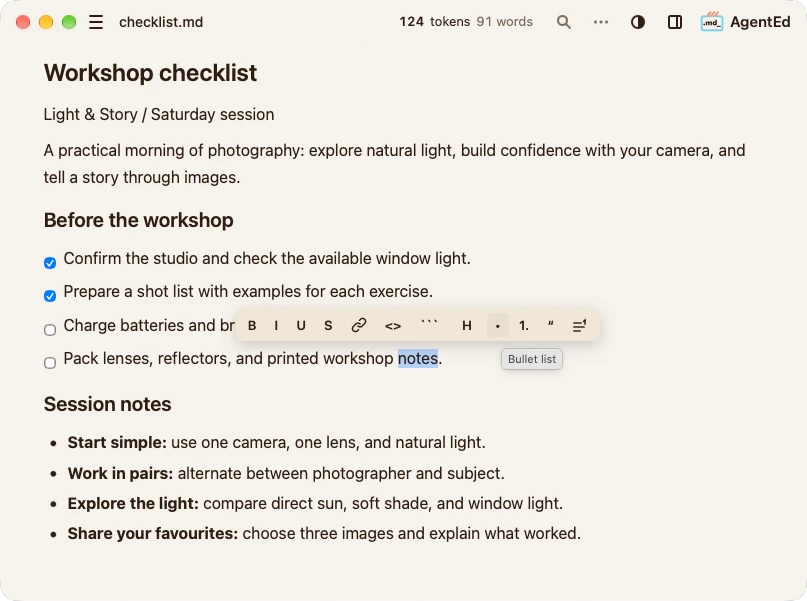
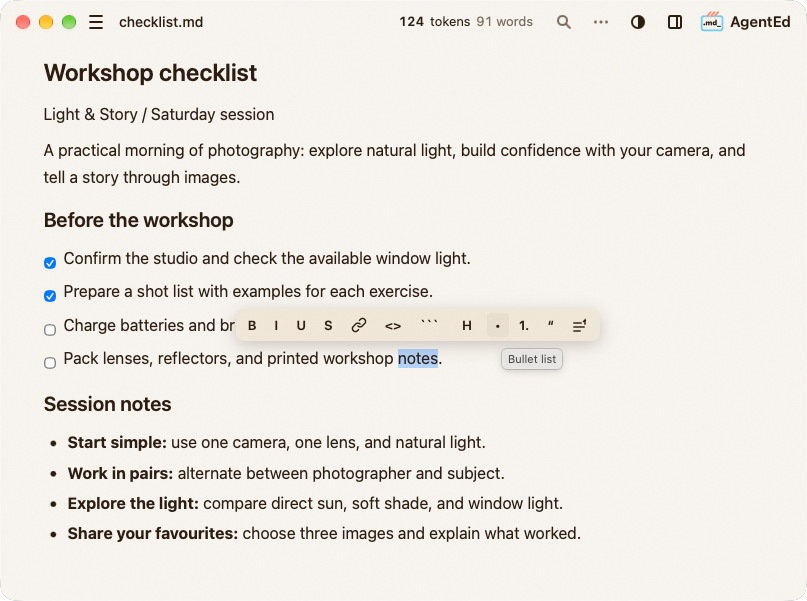
Checklists
Turn plans into next steps
A workshop checklist, with tasks ticked off as you go and session notes in the same file
-
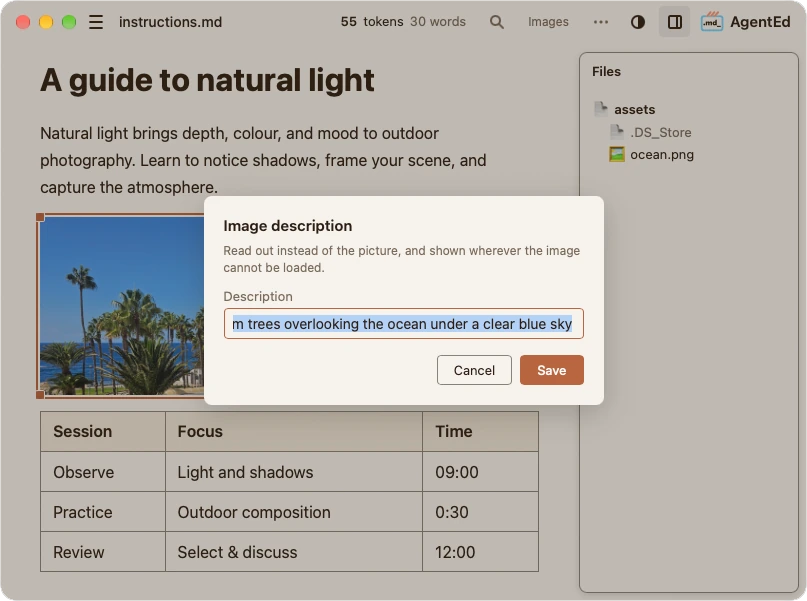
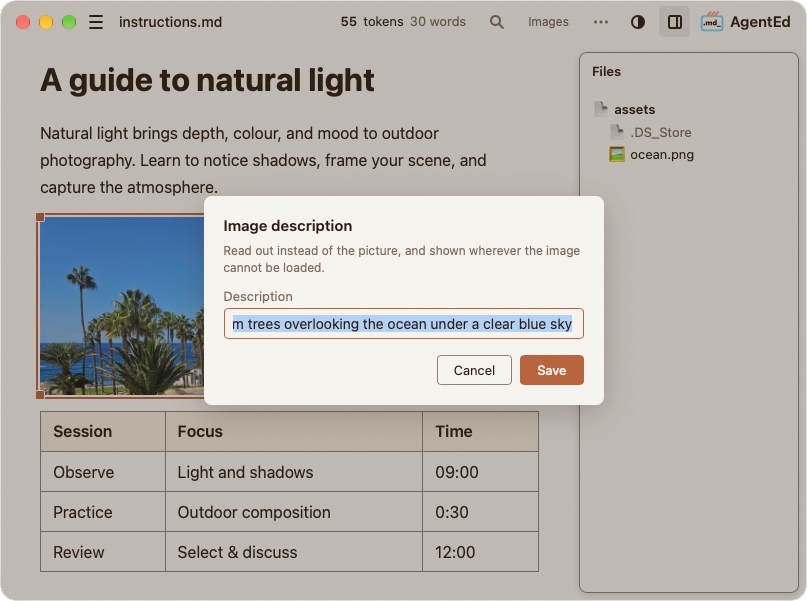
Illustrated guides
Explain with images
A photography guide with a photo, a session table, and an image description for screen readers
Open source, Built with care
Explore the source code, share feedback, or help AgentEd grow
Questions
Is AgentEd free?
Yes. AgentEd is free and open source, released under the MIT License. The source is on GitHub.
Do I need an account?
No. You don't need an account to use the editor.
Where are my documents stored?
In the local folders you choose. AgentEd opens and saves Markdown files on your computer.
Which Windows versions are supported?
This release is a 64-bit (x64) Windows installer.
Which Macs are supported?
The macOS build is for Macs with Apple Silicon (M1 or later). Intel-based Macs are not supported by this release.
Tested on macOS 27 and macOS 26. Compatibility with earlier macOS versions has not yet been verified.
What about Linux?
An experimental Linux build is available on GitHub, tested on Ubuntu 24.04 LTS (x64). Windows and macOS are the main supported platforms for this release. Contributors can also build AgentEd from source.
Why might Windows or macOS show a warning?
This release is not digitally signed yet, so Windows may show a SmartScreen warning, and macOS blocks the app the first time it opens. Read installation help before continuing.
Still have a question? Write to contact@agentedapp.com.

Make Markdown yours
Windows (x64) · macOS (Apple Silicon) · Free and open source · Installation help